इमेज
Fibo Edit वेरिएंट: 13
प्रति इमेज $0.04
प्रति इमेज 40 API क्रेडिट · ≈ ₽4.30
कोई मिलान नहीं मिला। “video”, “FLUX” या “webhooks” आज़माएँ।
मॉडल लोड हो रहे हैं…
bria/fibo-edit/erase_by_text
# Run the model; wait up to 20 s for the finished result in the same call
curl -X POST "https://api.doitong.ru/v1/run/bria/fibo-edit/erase_by_text?wait=20" \
  -H "Authorization: Bearer $DOITONG_API_KEY" \
  -H "Content-Type: application/json" \
  -d '{
    "image": "https://content.doitong.com/images/showcase/v3/gen_fox_cartoon.jpg",
    "object_name": "Table"
  }'

# Still "queued" or "running"? Poll with the id from the response:
curl "https://api.doitong.ru/v1/requests/REQUEST_ID?wait=20" \
  -H "Authorization: Bearer $DOITONG_API_KEY"
const API = "https://api.doitong.ru/v1";
const headers = {
"Authorization": "Bearer " + process.env.DOITONG_API_KEY,
"Content-Type": "application/json",
};
// Run the model; wait up to 20 s for the finished result in the same call
let res = await fetch(API + "/run/bria/fibo-edit/erase_by_text?wait=20", {
method: "POST",
headers,
body: JSON.stringify({
"image": "https://content.doitong.com/images/showcase/v3/gen_fox_cartoon.jpg",
"object_name": "Table"
}),
});
let request = await res.json();
if (!res.ok) throw new Error(request.error.code + ": " + request.error.message);
// Not finished yet: long-poll until it is
while (request.status === "queued" || request.status === "running") {
res = await fetch(API + "/requests/" + request.id + "?wait=20", { headers });
request = await res.json();
}
if (request.status !== "succeeded") throw new Error(JSON.stringify(request.error));
console.log(request.outputs.map((o) => o.url), request.cost.credits + " API credits ($" + request.cost.usd + ")");import os
import requests
API = "https://api.doitong.ru/v1"
headers = {"Authorization": "Bearer " + os.environ["DOITONG_API_KEY"]}
payload = {
"image": "https://content.doitong.com/images/showcase/v3/gen_fox_cartoon.jpg",
"object_name": "Table",
}
# Run the model; wait up to 20 s for the finished result in the same call
r = requests.post(API + "/run/bria/fibo-edit/erase_by_text", params={"wait": 20}, json=payload, headers=headers)
request = r.json()
if not r.ok:
raise RuntimeError(request["error"]["code"] + ": " + request["error"]["message"])
# Not finished yet: long-poll until it is
while request["status"] in ("queued", "running"):
request = requests.get(API + "/requests/" + request["id"], params={"wait": 20}, headers=headers).json()
if request["status"] != "succeeded":
raise RuntimeError(request["error"])
print([o["url"] for o in request["outputs"]], request["cost"]["credits"], "API credits", "$" + request["cost"]["usd"])# 1. Connect once (Claude Code; Cursor, VS Code, Claude Desktop: https://doitong.com/hi/developers/docs/mcp)
claude mcp add --transport http doitong-models https://api.doitong.ru/v1/mcp \
--header "Authorization: Bearer $DOITONG_API_KEY"
# 2. Your agent calls the "run" tool with:
{
"model_id": "bria/fibo-edit/erase_by_text",
"input": {
"image": "https://content.doitong.com/images/showcase/v3/gen_fox_cartoon.jpg",
"object_name": "Table"
}
}Fibo Edit [Erase by Text] मॉडल (bria/fibo-edit/erase_by_text) को Doitong API के ज़रिए कॉल करें। एजेंट के लिए दस्तावेज़: https://doitong.com/hi/developers/models/bria/fibo-edit/erase_by_text.md
POST https://api.doitong.ru/v1/run/bria/fibo-edit/erase_by_text?wait=20
Authorization: Bearer $DOITONG_API_KEY
Content-Type: application/json
{
"image": "https://content.doitong.com/images/showcase/v3/gen_fox_cartoon.jpg",
"object_name": "Table"
}
यदि रिस्पॉन्स स्टेटस "queued" या "running" है, तो GET https://api.doitong.ru/v1/requests/REQUEST_ID?wait=20 को तब तक पोल करें जब तक यह "succeeded" न हो जाए; फ़ाइलें outputs[].url में हैं। उसी बॉडी के साथ POST https://api.doitong.ru/v1/quote/bria/fibo-edit/erase_by_text चलाने से रन से पहले सटीक कीमत मिलती है।यह अनुरोध: $0.04 40 API क्रेडिट · ≈ ₽4.30 इसे इस पेज पर चलाएँ
आपकी नई API कुंजी। यह केवल अभी दिखाया गया है और कोड तथा नीचे दिए गए API कुंजी फ़ील्ड में पहले से मौजूद है। इसे गुप्त रखें: इसे कभी भी ब्राउज़र में चलने वाले कोड में न डालें।
नीचे एक अनुरोध बनाएँ और उसे अपनी API कुंजी से चलाएँ। आउटपुट हमारे स्टोरेज में कॉपी किए जाते हैं और हमेशा के लिए या 7 दिन तक मुफ़्त में रखे जाते हैं।
कंट्रोल मॉडल स्कीमा से जनरेट होते हैं। इन्हें बदलने पर कोड और कीमत अपडेट होती है।
/run/bria/fibo-edit/erase_by_text?wait=20
कोटेशन → $0.04
# Run the model; wait up to 20 s for the finished result in the same call
curl -X POST "https://api.doitong.ru/v1/run/bria/fibo-edit/erase_by_text?wait=20" \
  -H "Authorization: Bearer $DOITONG_API_KEY" \
  -H "Content-Type: application/json" \
  -d '{
    "image": "https://content.doitong.com/images/showcase/v3/gen_fox_cartoon.jpg",
    "object_name": "Table"
  }'

# Still "queued" or "running"? Poll with the id from the response:
curl "https://api.doitong.ru/v1/requests/REQUEST_ID?wait=20" \
  -H "Authorization: Bearer $DOITONG_API_KEY"
const API = "https://api.doitong.ru/v1";
const headers = {
"Authorization": "Bearer " + process.env.DOITONG_API_KEY,
"Content-Type": "application/json",
};
// Run the model; wait up to 20 s for the finished result in the same call
let res = await fetch(API + "/run/bria/fibo-edit/erase_by_text?wait=20", {
method: "POST",
headers,
body: JSON.stringify({
"image": "https://content.doitong.com/images/showcase/v3/gen_fox_cartoon.jpg",
"object_name": "Table"
}),
});
let request = await res.json();
if (!res.ok) throw new Error(request.error.code + ": " + request.error.message);
// Not finished yet: long-poll until it is
while (request.status === "queued" || request.status === "running") {
res = await fetch(API + "/requests/" + request.id + "?wait=20", { headers });
request = await res.json();
}
if (request.status !== "succeeded") throw new Error(JSON.stringify(request.error));
console.log(request.outputs.map((o) => o.url), request.cost.credits + " API credits ($" + request.cost.usd + ")");import os
import requests
API = "https://api.doitong.ru/v1"
headers = {"Authorization": "Bearer " + os.environ["DOITONG_API_KEY"]}
payload = {
"image": "https://content.doitong.com/images/showcase/v3/gen_fox_cartoon.jpg",
"object_name": "Table",
}
# Run the model; wait up to 20 s for the finished result in the same call
r = requests.post(API + "/run/bria/fibo-edit/erase_by_text", params={"wait": 20}, json=payload, headers=headers)
request = r.json()
if not r.ok:
raise RuntimeError(request["error"]["code"] + ": " + request["error"]["message"])
# Not finished yet: long-poll until it is
while request["status"] in ("queued", "running"):
request = requests.get(API + "/requests/" + request["id"], params={"wait": 20}, headers=headers).json()
if request["status"] != "succeeded":
raise RuntimeError(request["error"])
print([o["url"] for o in request["outputs"]], request["cost"]["credits"], "API credits", "$" + request["cost"]["usd"]){
"jsonrpc": "2.0",
"id": 1,
"method": "tools/call",
"params": {
"name": "run",
"arguments": {
"model_id": "bria/fibo-edit/erase_by_text",
"input": {
"image": "https://content.doitong.com/images/showcase/v3/gen_fox_cartoon.jpg",
"object_name": "Table"
},
"wait_seconds": 20
}
}
}आपकी key इसी ब्राउज़र में रहती है: इसे केवल Doitong API को भेजा जाता है और केवल तभी (localStorage) में सेव किया जाता है जब आप Remember चुनते हैं। API कुंजी प्राप्त करें
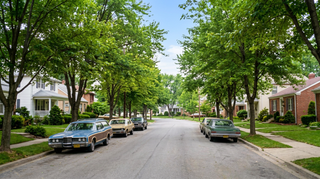
नाम के आधार पर फ़ोटो से अनचाही वस्तु हटाता है। `image_url` और हटाई जाने वाली वस्तु `object_name` दें; उस क्षेत्र को आसपास के हिस्से से मिलते-जुलते रूप में भर दिया जाता है। संपादित छवि और उसका VGL दस्तावेज़ लौटाता है।
कैनोनिकल नाम या नेटिव नाम में से कोई एक भेजें, दोनों नहीं। कैनोनिकल नाम
image_urlआवश्यक
image
object_nameआवश्यक
फ़ाइल पैरामीटर में सार्वजनिक https:// URL, 10 MB तक का data: URI, या अपलोड का file_url लिया जाता है। फ़ाइलें
{
  "id": "req_8k2m4q7x1z9c3v5b6n0p2r4t",
  "object": "request",
  "model": "bria/fibo-edit/erase_by_text",
  "status": "succeeded",
  "created_at": "2026-10-20T12:00:00Z",
  "started_at": "2026-10-20T12:00:02Z",
  "completed_at": "2026-10-20T12:00:09Z",
  "queue_position": null,
  "cost": {
    "credits": 40,
    "usd": "0.04",
    "charged": 40,
    "refunded": 0
  },
  "input": {
    "image_url": "https://content.doitong.com/images/showcase/v3/gen_fox_cartoon.jpg",
    "object_name": "Table"
  },
  "output": {
    "image": {
      "url": "https://content.doitong.com/dev-api/2026/10/20/req_8k2m4q7x1z9c3v5b6n0p2r4t/0-output.jpeg",
      "content_type": "image/jpeg",
      "file_name": "0-output.jpeg",
      "file_size": 1843200,
      "width": 1024,
      "height": 768
    },
    "images": [
      {
        "url": "https://content.doitong.com/dev-api/2026/10/20/req_8k2m4q7x1z9c3v5b6n0p2r4t/0-output.jpeg",
        "content_type": "image/jpeg",
        "file_name": "0-output.jpeg",
        "file_size": 1843200,
        "width": 1024,
        "height": 768
      }
    ],
    "vgl": {},
    "structured_instruction": {}
  },
  "outputs": [
    {
      "type": "image",
      "url": "https://content.doitong.com/dev-api/2026/10/20/req_8k2m4q7x1z9c3v5b6n0p2r4t/0-output.jpeg",
      "content_type": "image/jpeg",
      "file_size": 1843200,
      "width": 1024,
      "height": 768,
      "stored": true
    }
  ],
  "error": null,
  "metrics": {
    "inference_seconds": 6.8
  },
  "urls": {
    "self": "https://api.doitong.ru/v1/requests/req_8k2m4q7x1z9c3v5b6n0p2r4t",
    "cancel": "https://api.doitong.ru/v1/requests/req_8k2m4q7x1z9c3v5b6n0p2r4t/cancel"
  }
}





AI एजेंट के लिए: इस पेज का Markdown यहाँ है https://doitong.com/hi/developers/models/bria/fibo-edit/erase_by_text.md. सभी मॉडल और गाइड: https://doitong.com/developers/llms.txt