Image - 2026-11-21 21:59
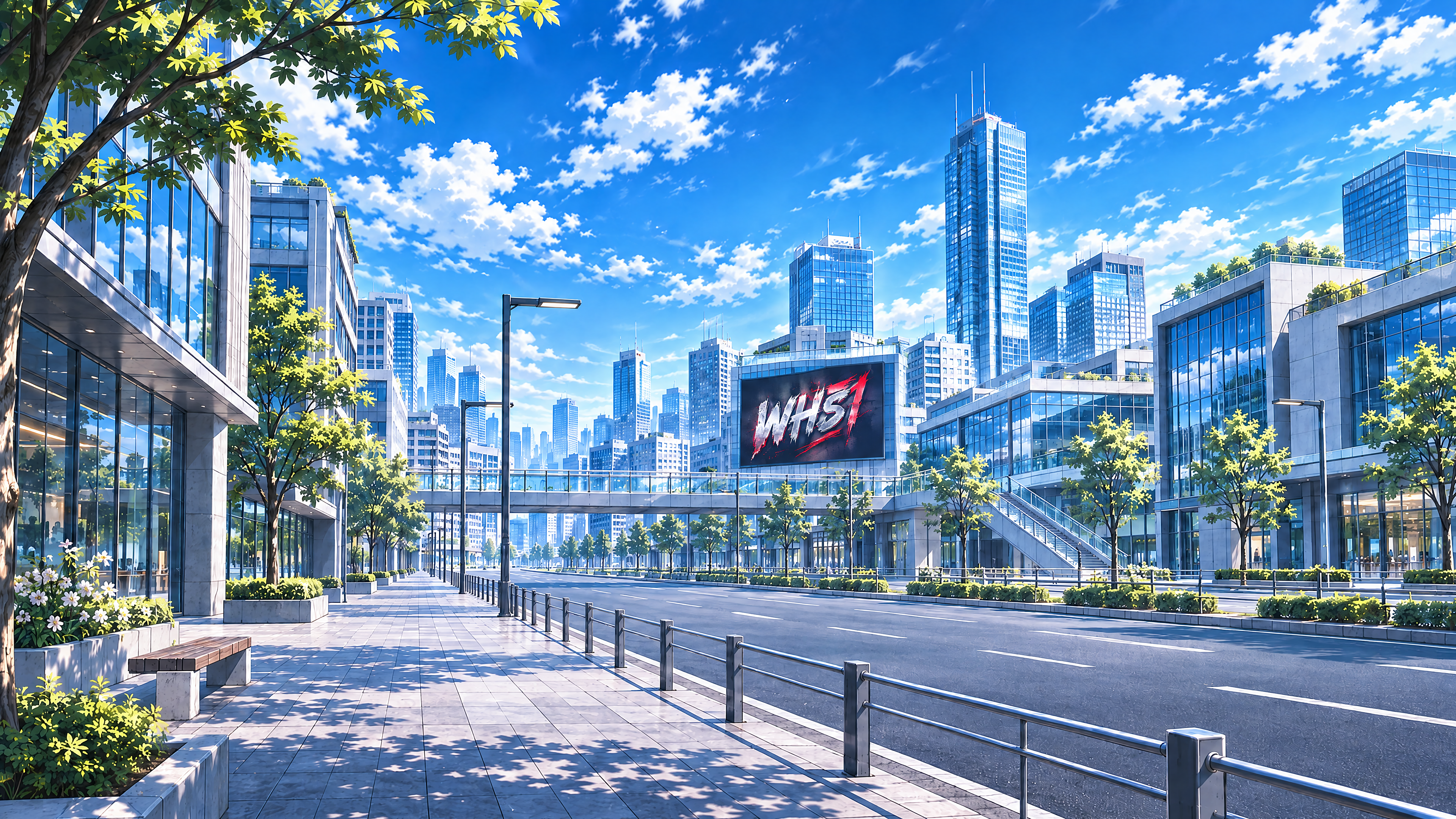
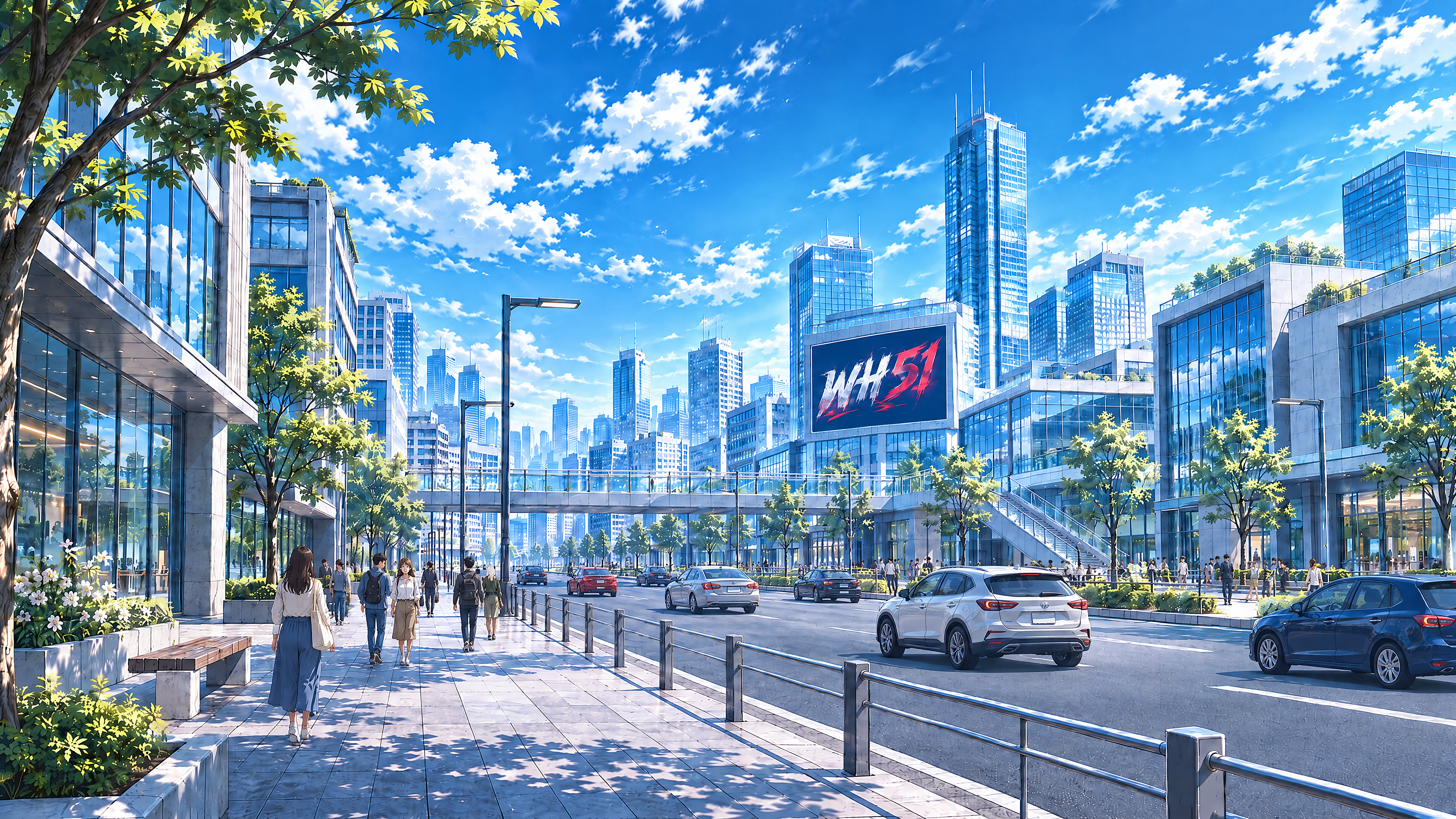
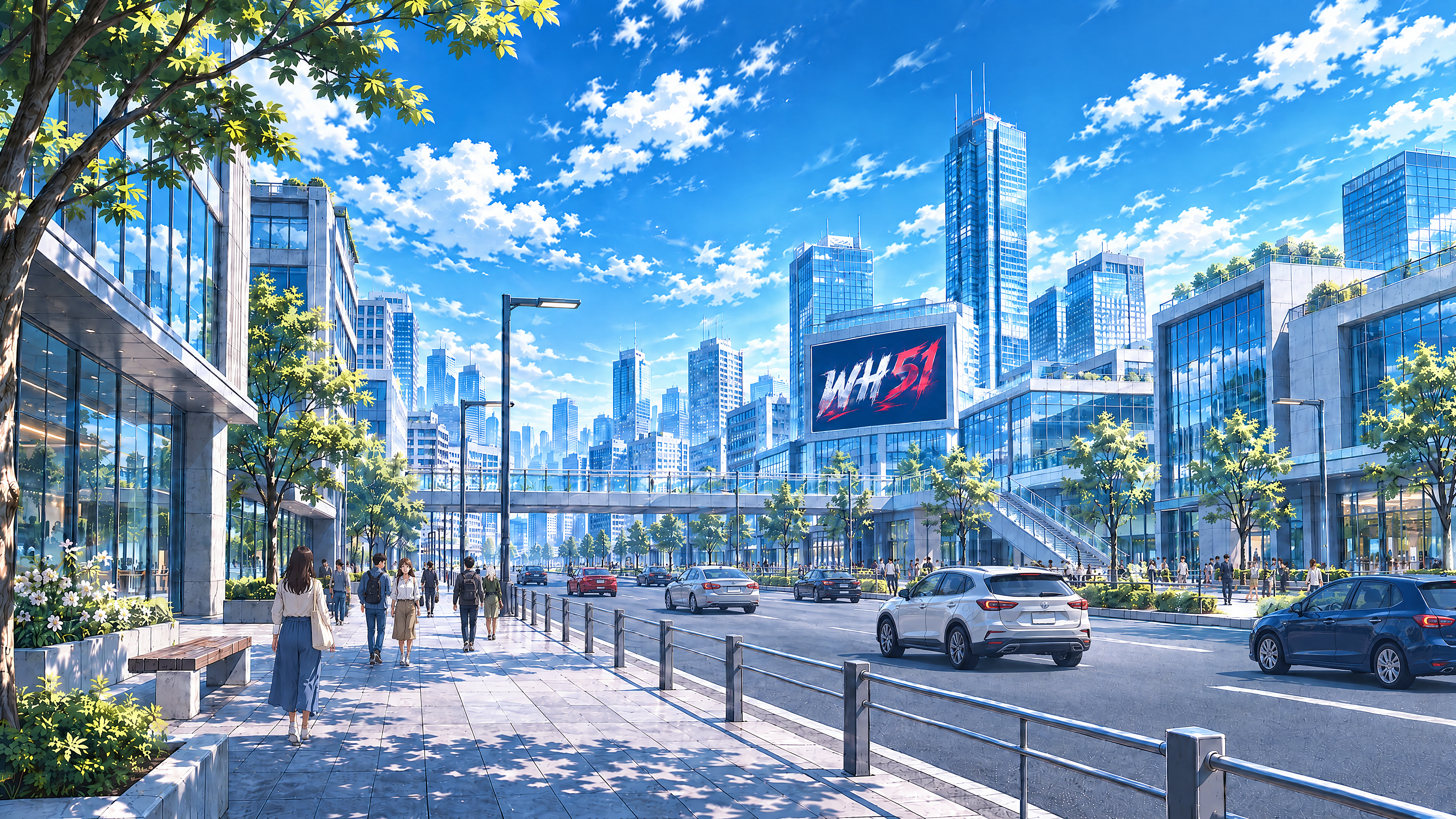
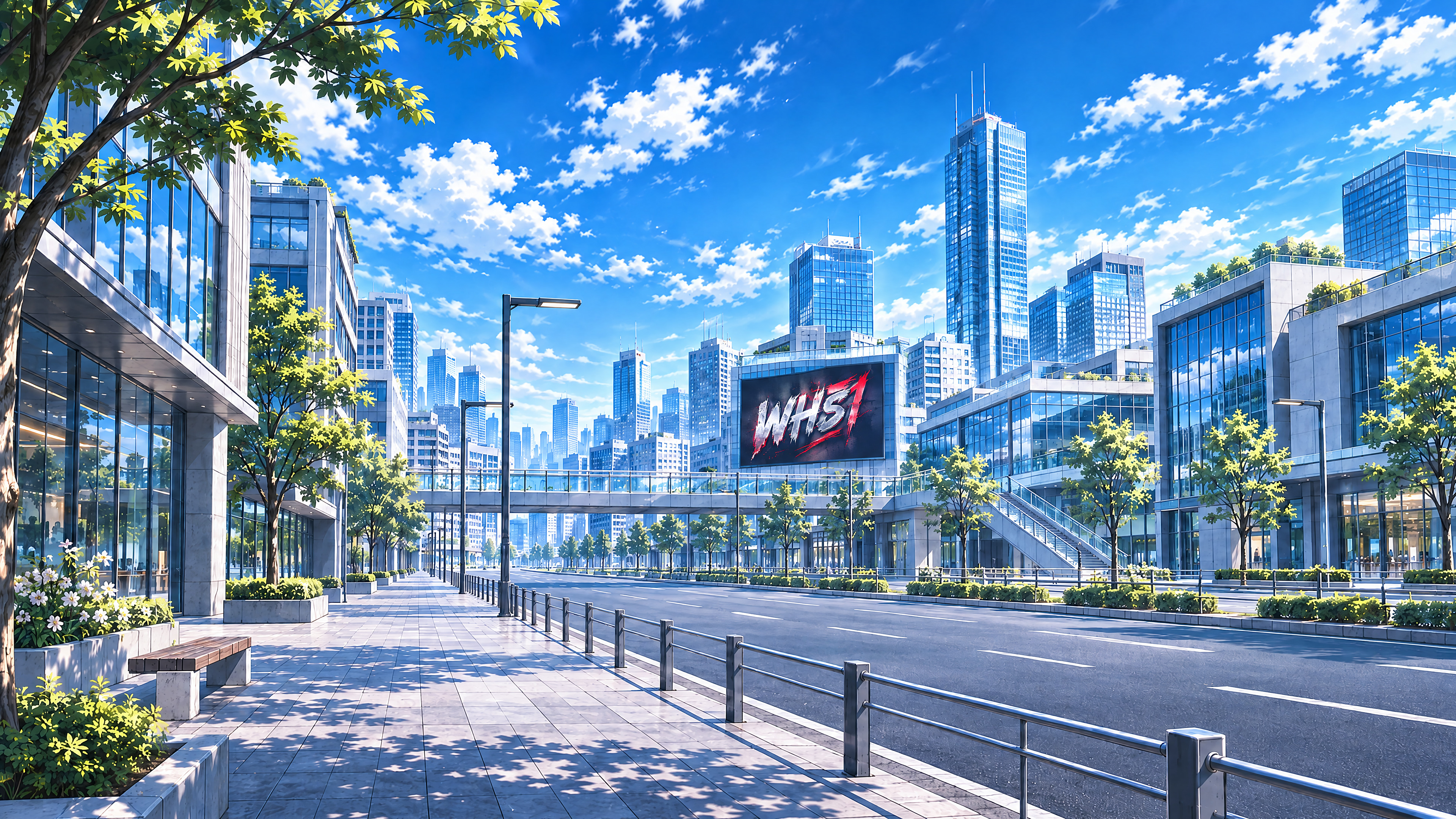
MAIN OBJECTIVE Edit Референс 1 to create the OFFICIAL OPENING FRAME of Scene №001 for the WH51 animated music video "Дотянуться до тебя". Preserve the existing beautiful cinematic semi-realistic anime city environment. Add ONE large, professionally designed digital advertising screen to the facade of an existing prominent building. The screen displays the clear, recognizable WH51 band logo. This is a CONTROLLED ENVIRONMENT EDIT. Do not redesign the city. Do not generate a new street. Do not change the camera angle. Do not change the architecture, lighting, weather, color palette, or established anime illustration style. The final result must look like the digital screen has always been a natural part of the original city environment. REFERENCE ASSIGNMENTS Референс 1 — PRIMARY CITY ENVIRONMENT / IMAGE TO EDIT This is the approved visual foundation for Scene №001. Preserve: - The original camera perspective. - The original city street layout. - The original road geometry. - The existing sidewalks. - All major buildings. - The skyline silhouette. - The original architectural designs. - The proportions of existing buildings. - The original window patterns. - The existing trees and greenery. - The original sky. - The original sunlight direction. - The existing shadow placement. - The natural daytime color palette. - The original cinematic semi-realistic anime illustration style. Treat this image as a LOCKED ENVIRONMENT. Only introduce the new WH51 digital screen and the minimal structural integration required to attach it naturally to the existing building facade. Референс 2 — WH51 LOGO REFERENCE, IF PROVIDED If Референс 2 is supplied, reproduce the WH51 logo exactly as shown. Preserve: - Exact lettering. - Exact letter shapes. - Exact proportions. - Exact graphic design. - Exact color relationships. - Exact arrangement of logo elements. Do not reinterpret, redraw creatively, or redesign the supplied logo. If no separate logo reference is provided, display only the exact Latin characters: WH51 Use clean, bold, highly legible uppercase Latin lettering and numerals. Do not add decorative icons, slogans, extra symbols, or invented branding. SCENE PURPOSE This is the opening shot of the music video. Timeline: approximately 00:00 to 00:07. The scene introduces the WH51 band through a large digital screen in a modern city. The opening frame will later be animated with a slow, smooth camera movement toward the screen. Therefore, the screen must be: - Clearly visible. - Immediately recognizable. - Large enough for the WH51 logo to be readable. - Positioned appropriately for a future cinematic push-in. - Naturally integrated into the existing urban architecture. The image must work as the STARTING FRAME of a 5–7-second animated shot. DIGITAL SCREEN — MAIN EDIT Add exactly ONE large horizontal digital advertising screen. Place it on a broad, clearly visible facade of an EXISTING building in the middle-distance portion of Референс 1. Prefer a building surface located reasonably close to the central area of the image. Choose a facade large enough to accommodate the screen naturally without requiring reconstruction of the building. Do not place the screen on a tiny distant building. Do not place it at the extreme left or right border of the composition. Do not place the screen so high that it becomes difficult to see. Do not place the screen directly across a major building corner. The screen must be mounted flat against one suitable exterior facade plane. Respect the original building's architectural perspective. The screen must have: - A clean rectangular horizontal shape. - Realistic architectural proportions. - A thin, simple dark frame. - A modern high-resolution LED display surface. - Believable wall mounting. - Correct perspective alignment. - Subtle visible pixel-display texture only where naturally appropriate. The screen must appear firmly attached to the building. It must not float in front of the facade. It must not bend, warp, or extend beyond the building's edges. WH51 LOGO PRESENTATION Display the WH51 logo prominently in the center of the digital screen. The logo is the only readable text allowed in the image. Use a clean, visually strong presentation. Keep generous negative space around the logo within the screen. Avoid visual clutter. The display background should be simple and moderately dark so the logo remains clearly visible in bright daylight. Use restrained contrast appropriate for a premium music-band identity. The WH51 logo must look crisp and stable. All four characters must be correct: W H 5 1 Do not generate: - WHS1. - WHS. - WH5I. - Extra letters. - Missing characters. - Distorted characters. - Unreadable typography. If Референс 2 is supplied, its exact design overrides any generic lettering description. SCREEN BRIGHTNESS AND DAYTIME REALISM The screen is operating during bright daytime. Its image must be visible under natural sunlight. Use sufficient screen contrast to make the logo readable. However, avoid excessive neon glow. Avoid dramatic bloom effects. Avoid unrealistically bright light spilling onto nearby buildings. The screen should resemble a realistic premium outdoor LED display photographed within a beautifully illustrated anime city scene. The screen's visual treatment must match the surrounding illustration style. BUILDING INTEGRATION The existing host building must retain its original architectural identity. Do not change: - Its height. - Its roofline. - Its main proportions. - Its facade color. - Its window grid outside the necessary screen mounting area. - Its structural columns. - Its overall architectural style. The screen should occupy a believable facade section. Only the small portion of facade physically covered by the screen may be concealed. Do not create a new wall or additional architectural level to accommodate the display. Do not add external scaffolding, oversized brackets, large support towers, or excessive wiring. Maintain a clean, convincing architectural installation. ENVIRONMENT PRESERVATION — CRITICAL The entire rest of Референс 1 must remain visually unchanged. Keep the existing road perspective. Keep the sidewalks. Keep the approved buildings. Keep the skyline. Keep the trees and greenery. Keep the original clear sky. Keep the original daytime lighting. Keep the original color relationships. Keep the existing urban atmosphere. Do not invent new neighboring buildings. Do not relocate the existing street. Do not add additional advertising screens. Do not introduce large new vehicles or crowds. Do not turn this into a different city. The screen is the ONLY significant new object. VISUAL STYLE — ABSOLUTE PRIORITY Preserve the EXACT cinematic semi-realistic anime illustration style from Референс 1. The final image must retain: - Refined anime-inspired architectural rendering. - Carefully illustrated building geometry. - Natural daytime material shading. - Rich but controlled city colors. - Crisp important architectural edges. - Soft atmospheric perspective. - Beautiful illustrated daylight. - A harmonious visual balance between realism and anime stylization. The digital screen must be rendered in the SAME artistic language. Do not make the screen appear pasted on as a photorealistic object. Do not transform the city into architectural CGI. Do not apply a new art style. Do not add a photographic filter. Do not increase overall blur. Do not excessively sharpen the image. The result must feel like one continuous frame from the WH51 animated film. LIGHTING AND WEATHER Preserve the bright, clear daytime lighting of Референс 1. The weather is completely dry. Keep: - Natural sunlight. - Blue daytime sky. - Existing soft clouds if present. - Believable building shadows. - Dry asphalt. - Dry sidewalks. - Dry building surfaces. STRICTLY NO: - Rain. - Puddles. - Wet asphalt. - Wet concrete. - Water streaks. - Fog. - Snow. - Storm clouds. - Sunrise. - Sunset. - Golden hour. - Evening. - Twilight. - Night. Do not change the time of day or weather. CAMERA AND COMPOSITION Preserve the original camera position and framing from Референс 1. Use a cinematic horizontal 16:9 composition. Do not zoom or crop the image during this editing step. Do not rotate the camera. Do not alter the existing perspective. The added screen must be clearly visible within the original composition. Its placement must support a future slow camera push-in. The image should have enough visual space around the screen to allow a natural approach during animation. Do not make the screen fill the whole frame. The city must remain visually recognizable as the setting. TEXT AND SIGNAGE — STRICT CONTROL The WH51 logo is the ONLY permitted readable text. Do not introduce: - Chinese characters. - Japanese kanji. - Japanese kana. - Korean Hangul. - Other non-Latin scripts. - Shop names. - Advertising slogans. - Street signs with lettering. - Random words. - Fake text. - Pseudo-typography. - Additional brand names. - Watermarks. Do not invent advertising content on neighboring buildings. Keep the image clean and visually consistent. CHARACTERS AND OBJECTS This scene is a city establishing shot. Do not introduce the WH51 band members. Do not add musical instruments. Do not add concert equipment. Do not place musicians on rooftops. Do not introduce prominent foreground characters. Do not add unnecessary vehicles or visual distractions. The city and the WH51 screen are the subjects. ANIMATION READINESS This edited image will become the source frame for a future Seedance animation. Optimize the composition for a smooth 5–7-second cinematic camera push-in. Prioritize: - Stable building geometry. - Stable screen dimensions. - Correct screen perspective. - Clear logo readability. - Consistent city architecture. - Clean straight building edges. - No unnecessary moving objects. - No excessive graphic detail inside the screen. The screen must remain visually identifiable as the camera moves closer. Do not simulate camera movement within the static image. Do not add motion blur. Do not add zoom streaks. Do not add speed lines. This is the STATIC STARTING FRAME. STRICT CONSTRAINTS - Edit Референс 1. - Preserve the original city. - Preserve the original camera angle. - Preserve the original composition. - Preserve the original buildings. - Preserve the original street layout. - Preserve the original daylight. - Preserve the original anime illustration style. - Add exactly ONE large digital screen. - Attach the screen to an existing suitable building facade. - Place it reasonably close to the central area of the composition. - Keep the screen large enough to read. - Display the exact WH51 logo. - No additional text. - No other advertising screens. - No new major architectural structures. - No building redesign. - No scene reconstruction. - No change to the skyline. - No change to the street. - No characters. - No musical instruments. - No night, evening, or sunset. - No rain or wet surfaces. - No Chinese, Japanese, Korean, or other non-Latin writing. - No visual style changes. - No exaggerated neon effects. - No camera motion effects. - No collage, split screen, or reference sheet. EXPECTED RESULT One polished 16:9 cinematic semi-realistic anime city image using the exact existing environment from Референс 1. A single large, modern digital advertising screen has been naturally installed on a prominent existing building facade near the middle of the composition. The screen clearly displays the correct WH51 logo. The surrounding city architecture, road, skyline, sky, vegetation, daylight, color palette, and artistic style remain unchanged. The result is a clean, convincing opening frame for Scene №001 of the WH51 music video "Дотянуться до тебя", ready for later animation with a slow cinematic camera approach toward the WH51 screen.
Бесплатный старт · Генерация видео и картинок с ИИ за секунды
More from this creator


More Gpt Image 2.5 images
См. все →